Best Shot List Software for Filmmakers in 2026
April 16, 2026 · 8 min read
A shot list is the bridge between your screenplay and your shooting day. The right tool can save you hours of prep and keep your entire crew aligned. But with so many options out there, how do you choose? This guide covers what actually matters when picking shot list software.
Do You Even Need Shot List Software?
Plenty of filmmakers still use spreadsheets or pen and paper for their shot lists. And honestly, that works. If you are shooting a short film with a small crew, a simple table with columns for scene number, shot type, angle, and notes is enough.
But if you find yourself doing any of the following, dedicated software starts to make sense:
- Retyping the same scene descriptions from your screenplay into your shot list
- Losing track of which shots belong to which scenes
- Emailing updated spreadsheets to your crew and hoping everyone has the latest version
- Wishing you could attach reference images or storyboard frames to individual shots
- Spending more time formatting your shot list than actually planning shots
If that sounds familiar, it is probably time to use a proper tool.
What to Look for in Shot List Software
Not all shot list tools are created equal. Here are the features that actually matter in practice.
Connection to Your Screenplay
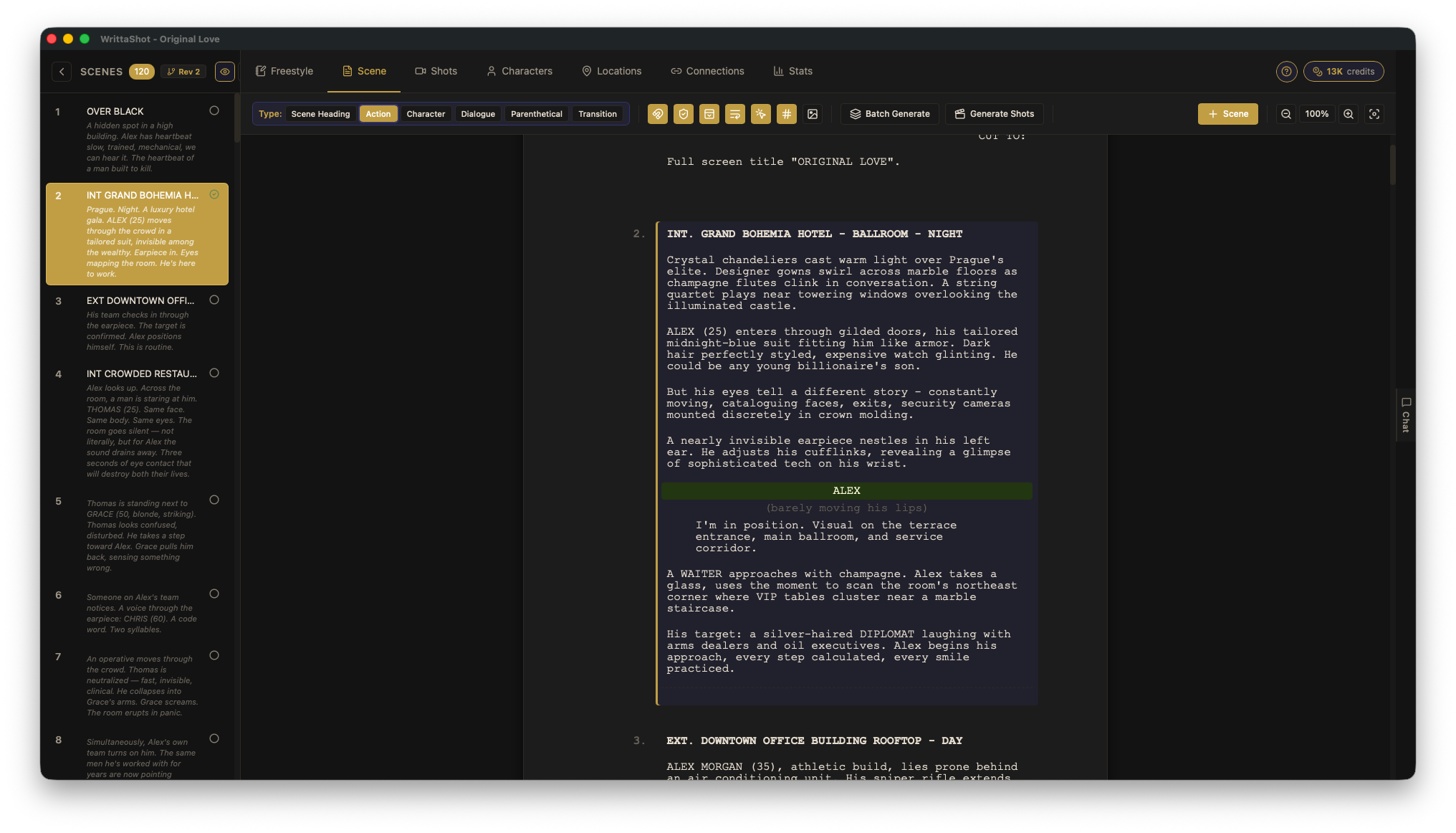
The best shot list software lets you work directly from your screenplay. You select a scene, and you create shots for that scene right there, with the script text visible next to your shot list. This keeps your shots grounded in the actual story instead of floating in a disconnected spreadsheet.
If a tool requires you to manually copy scene descriptions into a separate shot list, you are doing double work. Look for something where screenplay and shots live in the same project.
Shot Details That Matter
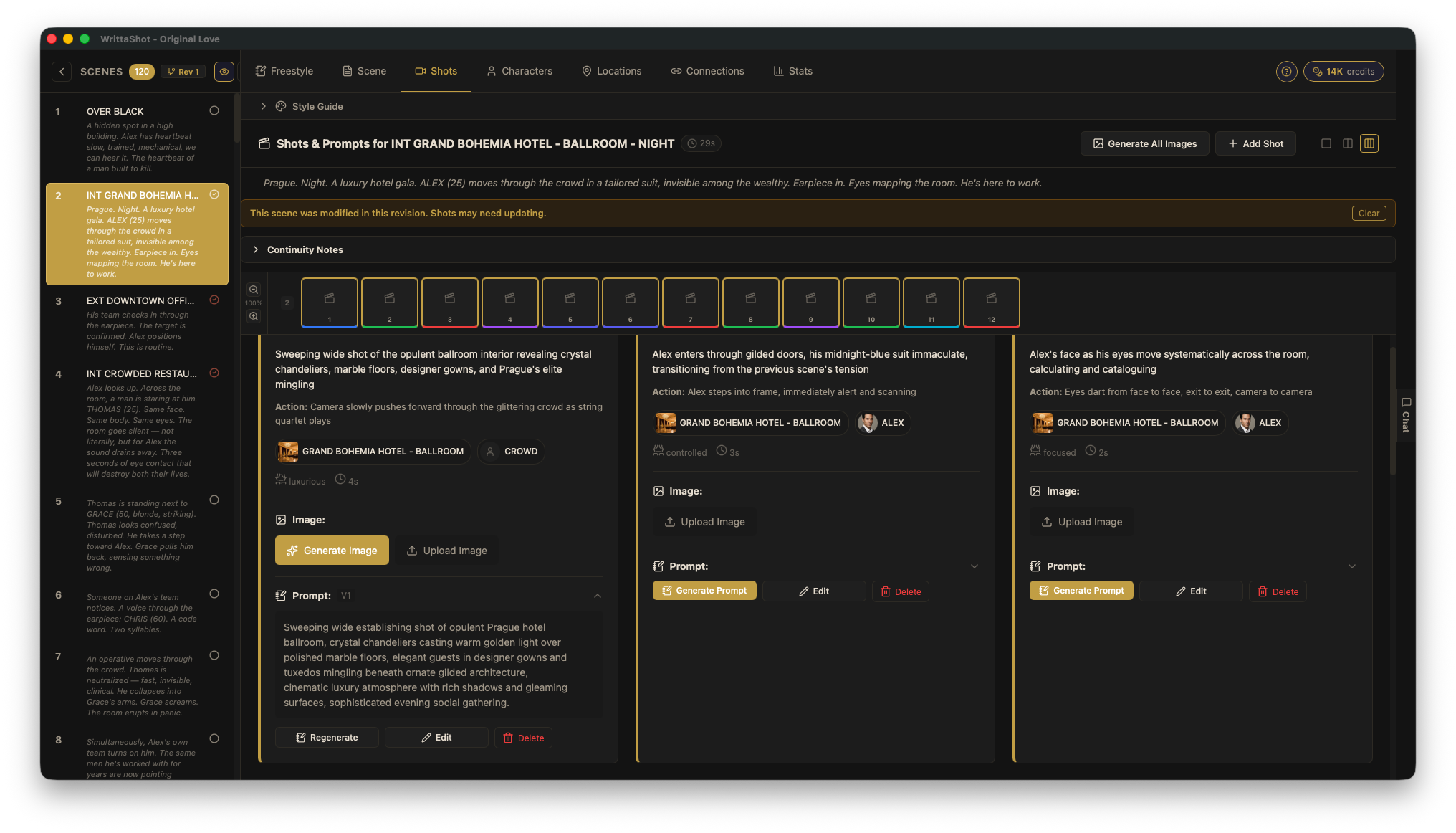
At a minimum, you should be able to specify:
- Shot type (wide, medium, close-up, extreme close-up, over-the-shoulder)
- Camera angle (eye level, high, low, bird's eye, Dutch tilt)
- Camera movement (static, pan, tilt, dolly, tracking, handheld, crane)
- Description of what happens in the shot
Some tools also let you specify lens, lighting notes, equipment, and estimated duration. These are nice to have but not essential for every production.
Storyboard Integration
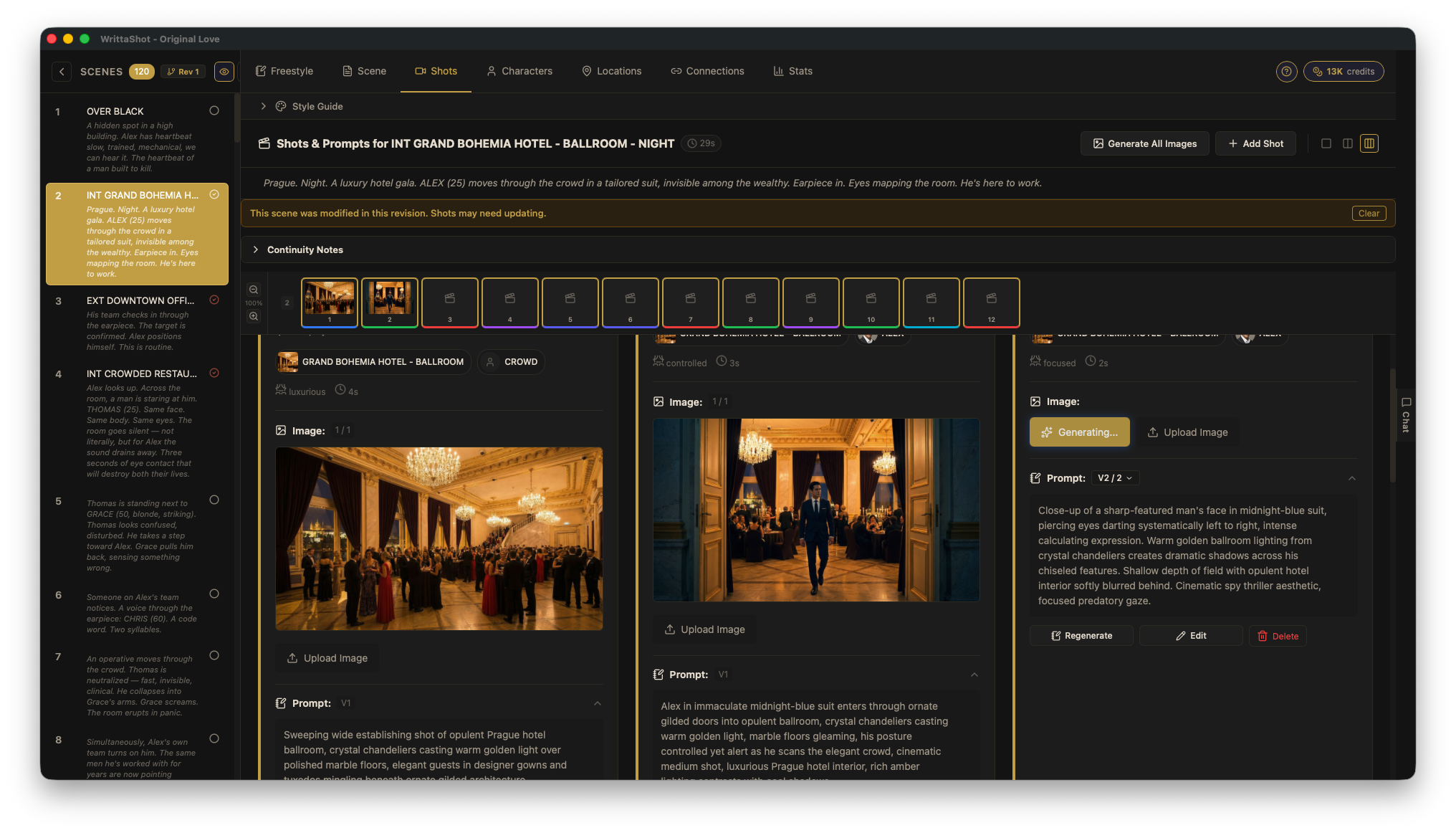
A shot list tells your crew what to shoot. A storyboard shows them what it should look like. The best tools let you attach images to each shot, whether those are hand-drawn sketches, reference photos, or AI-generated frames.
When your DP can see both the shot description and a visual reference in the same place, there is a lot less room for misunderstanding on set.
Export and Sharing
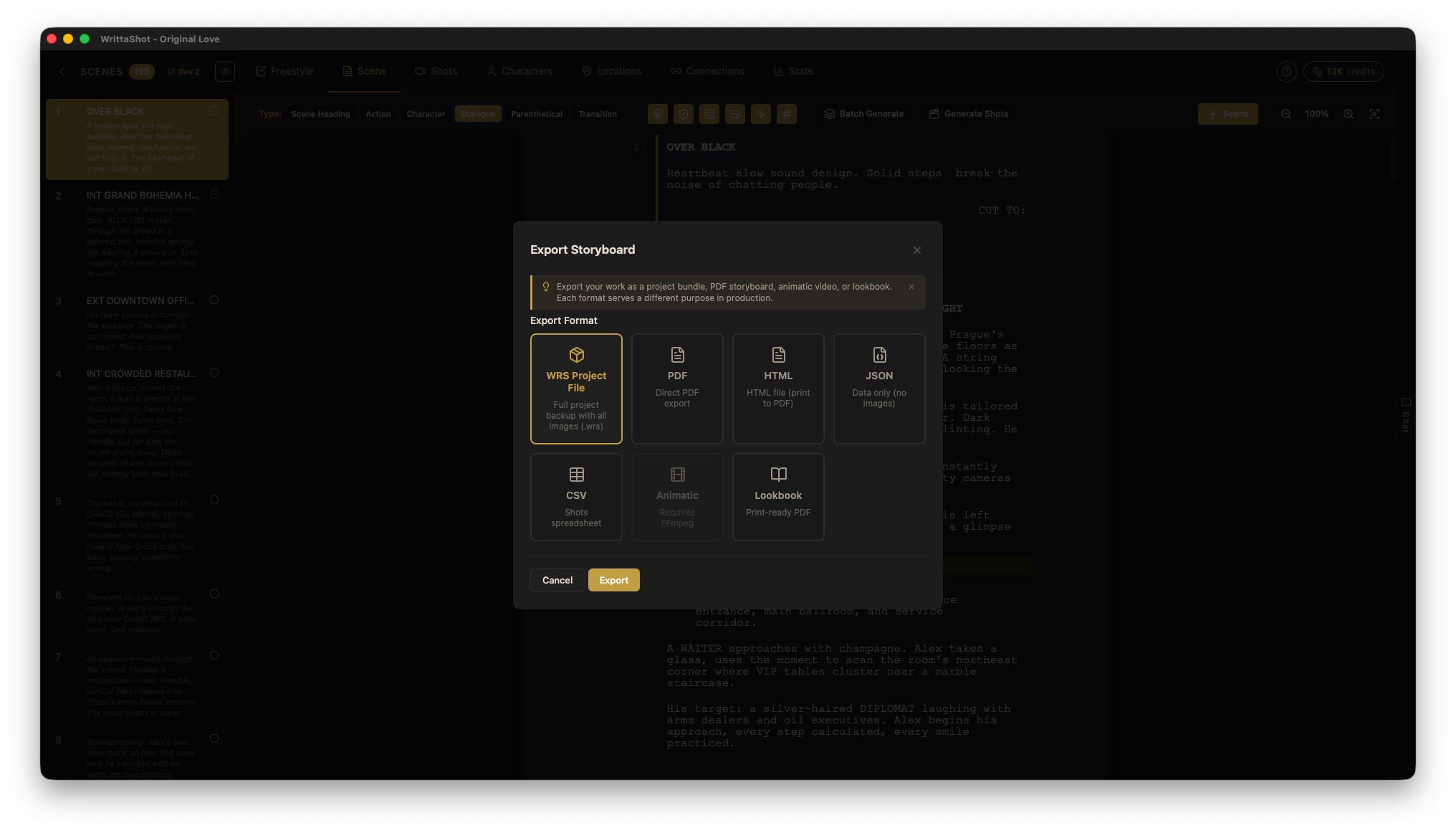
Your shot list is useless if it stays on your laptop. Look for tools that export to PDF (the universal format everyone can open) and ideally other formats like CSV or HTML. Your AD needs a printed copy on set. Your DP wants it on a tablet. Your producer wants it in an email.
Offline vs. Cloud
Cloud-based tools are great for collaboration. Multiple people can work on the same shot list at the same time, and everything syncs automatically.
Desktop tools work offline, which matters when you are prepping in a location with bad internet, or when you simply do not want your project data on someone else's server. Some filmmakers prefer this for privacy reasons, especially when working on unreleased projects.
Neither approach is objectively better. It depends on how your team works.
Pricing Model
Shot list tools generally come in three flavors:
- Free with limits. Great for trying things out. Usually restricted to one or two projects, or missing key features like export.
- Monthly subscription. Common for cloud-based platforms. You pay as long as you use it. Good for studios with ongoing projects. Expensive if you only make one film a year.
- One-time purchase. Pay once, use forever. Better value for independent filmmakers who do not need cloud collaboration.
Types of Shot List Tools
The market breaks down into a few categories. Understanding them helps you narrow your search.
Full Production Management Platforms
These are large platforms that include shot lists as one feature among many: call sheets, schedules, budgets, contact lists, and more. They are powerful but can feel like overkill if you just need a shot list. They also tend to be the most expensive option.
Dedicated Shot List Apps
Focused tools that do one thing well. They are fast, easy to learn, and often designed to work on tablets and phones so you can use them on set. The tradeoff is that they usually do not connect to your screenplay or storyboard.
Screenplay-to-Storyboard Pipelines
These tools connect the entire pre-production chain: you start with your screenplay, create shot lists from each scene, and build storyboards from your shots. Everything stays linked. Change a scene, and the related shots update. This is the approach that saves the most time if you are doing the full workflow from script to shoot.
The Workflow That Saves the Most Time
The real productivity gain is not in having a better-looking shot list. It is in eliminating the gap between your screenplay and your shooting plan.
Here is what that looks like in practice:
- Import your screenplay. The tool parses it into scenes, identifies characters, and lays out the structure.
- Create shots per scene. You work through each scene, adding shots with type, angle, movement, and notes. The script text is right there for reference.
- Add visual references. Attach storyboard images, location photos, or AI-generated frames to each shot.
- Export for your crew. Generate a PDF with everything organized by scene, ready to print or share.
This is exactly how WrittaShot works. You import a screenplay in Fountain, PDF, TXT, or RTF format, and the app builds the scene structure automatically. From there, you create your shot list, attach images, and export. The entire process stays in one project with no copy-pasting between tools.
If you want to try it, there is a free 7-day trial with no credit card required.
Final Thoughts
The best shot list software is the one that fits your workflow and gets out of your way. If a spreadsheet works for you, keep using it. If you are tired of disconnected tools and double data entry, try something that connects your screenplay to your shots.
Whatever you choose, the important thing is to show up on set with a plan. Your crew will thank you.

Filmmaker, developer, founder of WrittaShot